BoardGameVp

For the slightly board game obsessed

Is 80 points a good score?

You won. Nice. But was it actually a good score, or did everyone just have a bad night? BoardGameVp digs through plays logged on BoardGameGeek and tells you how many points people really score in a game, at every player count.

Android app, now in closed testing on Google Play. Free during the beta.

Scythe 2 players · plays logged on BGG
Example from the app
72Average VP
15Min VP
311Max VP
Score distribution

80 VP beats the average of 72 for two players. The busiest range is 59 to 89 points.
Questions you ask yourself anyway

If at least one of these went through your head at the table, this app is for you.

Before the game

  • How many points do people usually score in this one?
  • Is that 5 VP contract worth grabbing, or should I look for something better?

Average, range and full score distribution for your player count. Once you know the table usually ends around 70, you know what 5 points are worth.

After the game

  • So how did I do?
  • I won, but was it a good score or just a weak table?

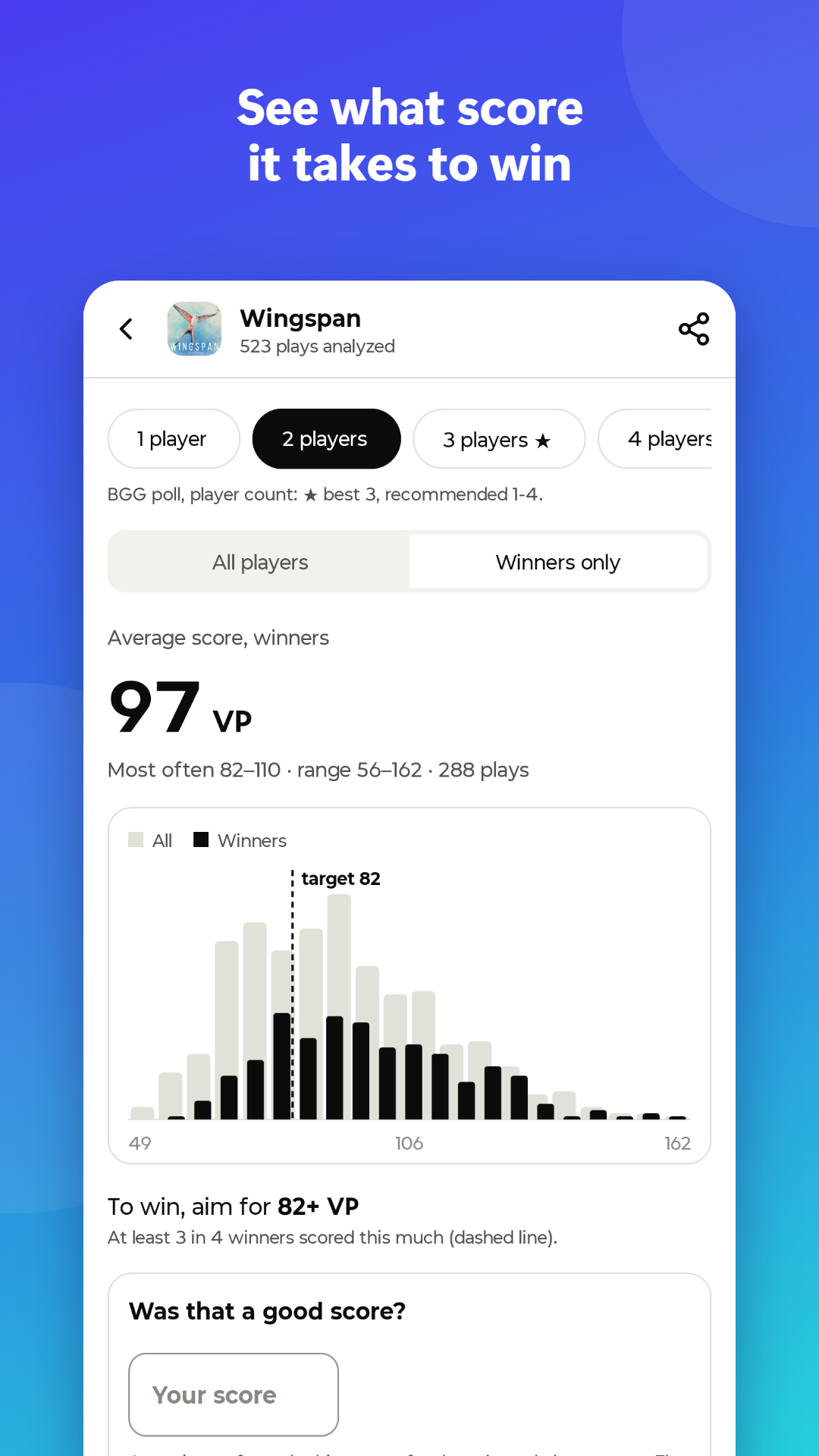
Switch to winners only and see what it usually takes to win. Your own average sits right next to the community one.

About your friends

  • What do my friends score in this game?
  • Have they played it more times than I have?
  • What have they been playing lately?

Type in their BGG usernames or import your buddy list. Compare scores and play counts, and see their latest plays.

No, it's not another BG Stats clone

Play loggers are great, keep yours. BoardGameVp answers a different question and doesn't want you to log anything.

A play logger

  • You record every play yourself
  • Tells you about you: play counts, win rate, H-index
  • Your history, your collection

BoardGameVp

  • Nothing to record: it reads plays other people already logged on BGG
  • Tells you about the game: what everyone scores at 2, 3, 4 or more players
  • Your scores and friends come as a bonus, next to the community numbers

They even get along: if your logger syncs plays to BGG, they show up in BoardGameVp too.

One game, every player count

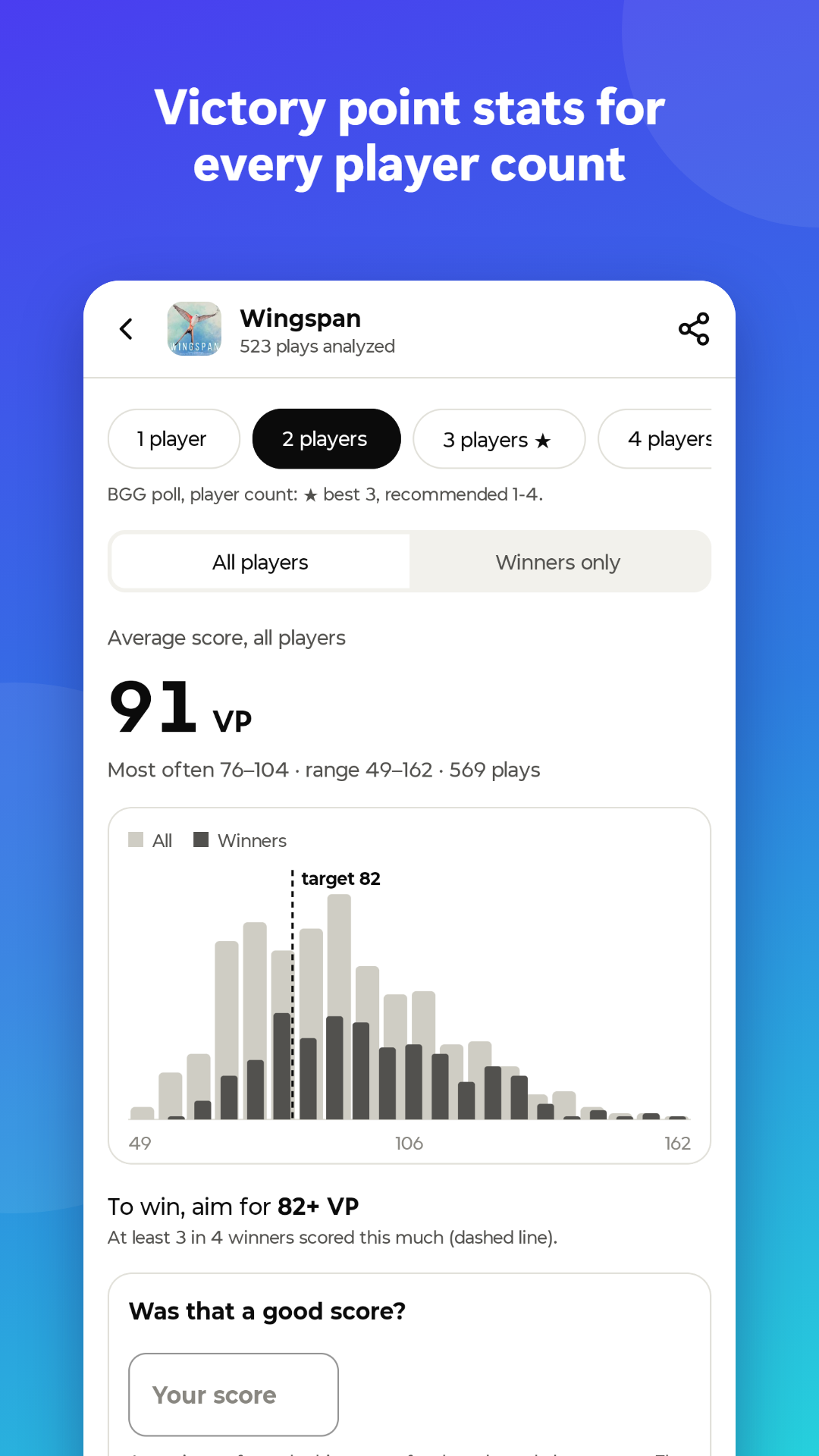
Pick a game, pick how many people sat at the table, and switch between all players and winners only.

The dry facts

For those who scrolled straight to the spec sheet. Community stats come first, your own scores and friends sit next to them.

VP statistics

  • Average, lowest and highest score for each player count
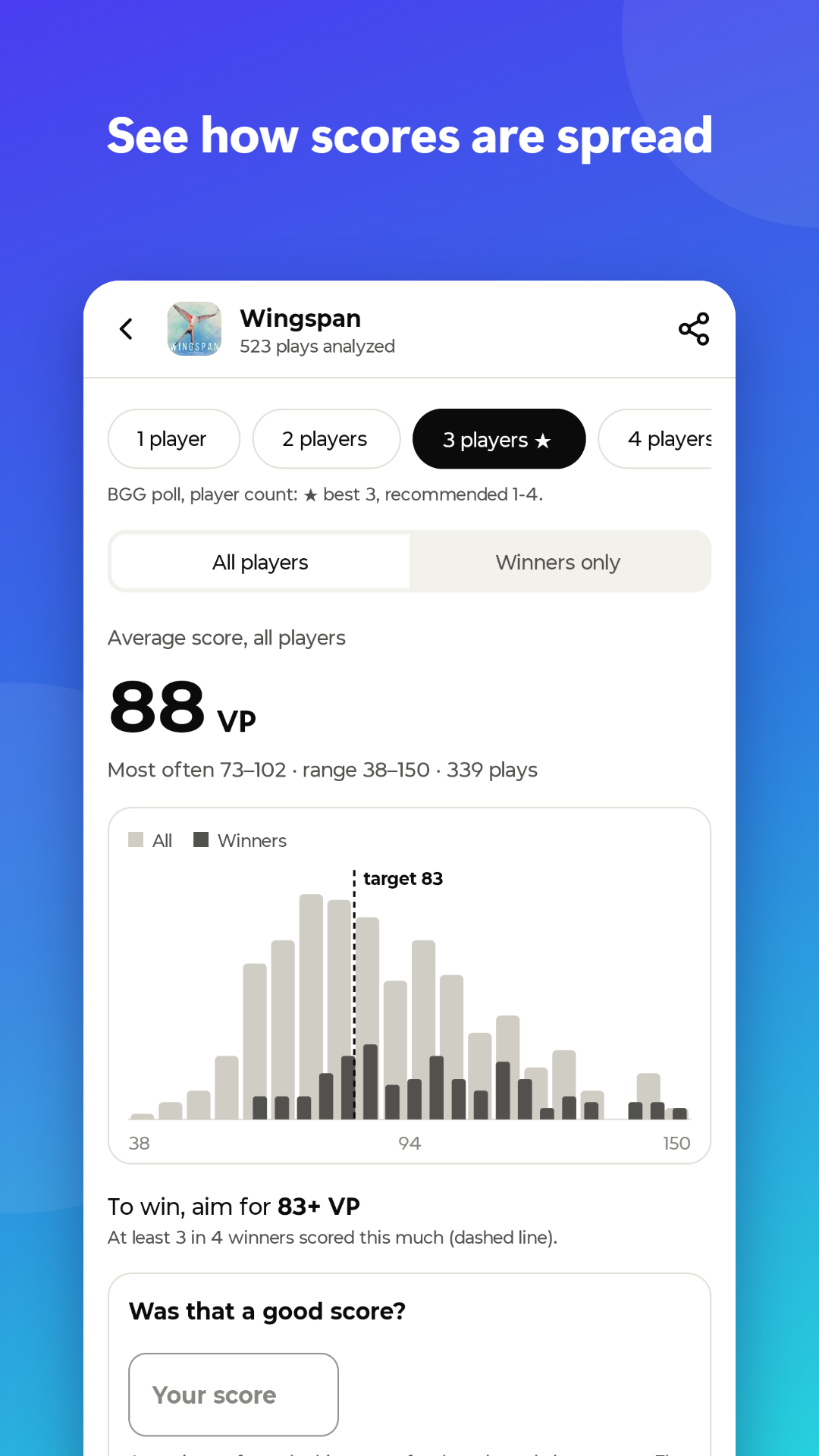
  • Score distribution chart
  • All players or winners only, to see what it usually takes to win
  • Winning threshold: the score that most winners reach
  • "Was that a good score?" check: type your result and see where it lands among all logged plays
  • BGG rating, complexity and recommended player count right on the game screen
  • Share a game's stats as an image
  • Results are saved on your phone, so coming back to a game is instant

Your scores and friends

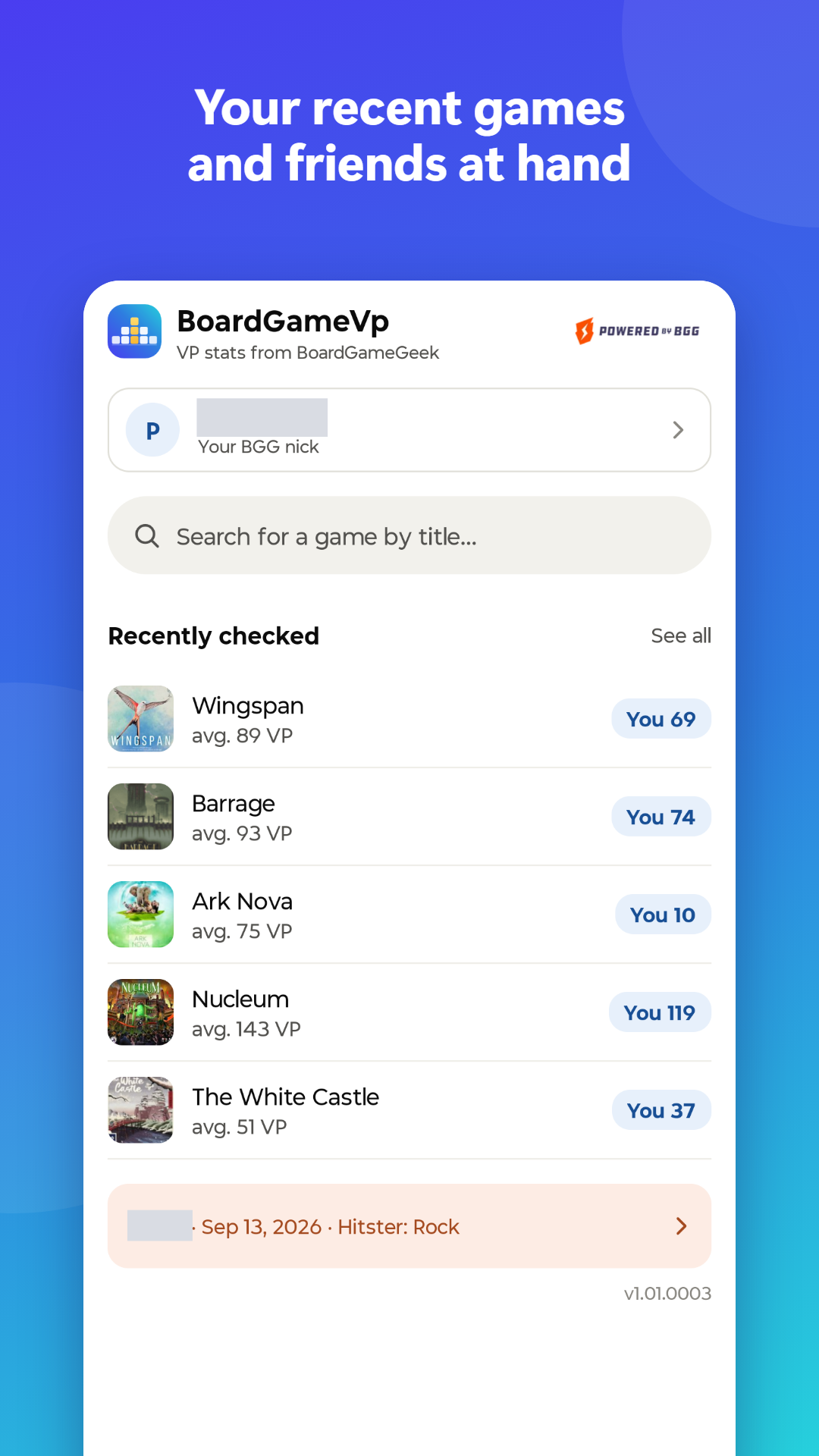
  • Enter your BGG username (no password, no sign-in) to see your own average next to the community stats
  • See how your average changes month by month
  • Tap your average to see your own plays of that game
  • Import friends from your BGG buddy list and compare scores, ratings and number of plays
  • Browse your latest plays and your friends' plays
  • Find out when a friend wants to play a game you own
  • See what your friends have been playing lately

Buy and sell

  • Keep a list of games you want to buy or sell
  • Browse current GeekMarket listings and get notified about new listings and price drops

Simple and private

  • No account and no ads
  • Your usernames and lists stay on your phone
  • The first 10 games and 3 friends are free. A one-time purchase removes both limits, no subscription

Want in? Become a tester

Google Play lets a new app go public only after a closed test, so every tester really counts. In return, everything is unlocked during the beta, and your feedback goes straight to the one person building it.

  1. Join the tester group

    It's a Google Group, one tap to join. Use the Google account that's signed in on your Android phone.

  2. Become a tester

    Open the tester link and tap "Become a tester". It only works once you're in the group.

  3. Install the app

    Open it in Google Play and install it like any other app. The store link works once you're a tester.

1. Join the tester group 2. Become a tester 3. Install the app

Installed? Let me know, Google doesn't show who joined. Email algoris.eu@gmail.com